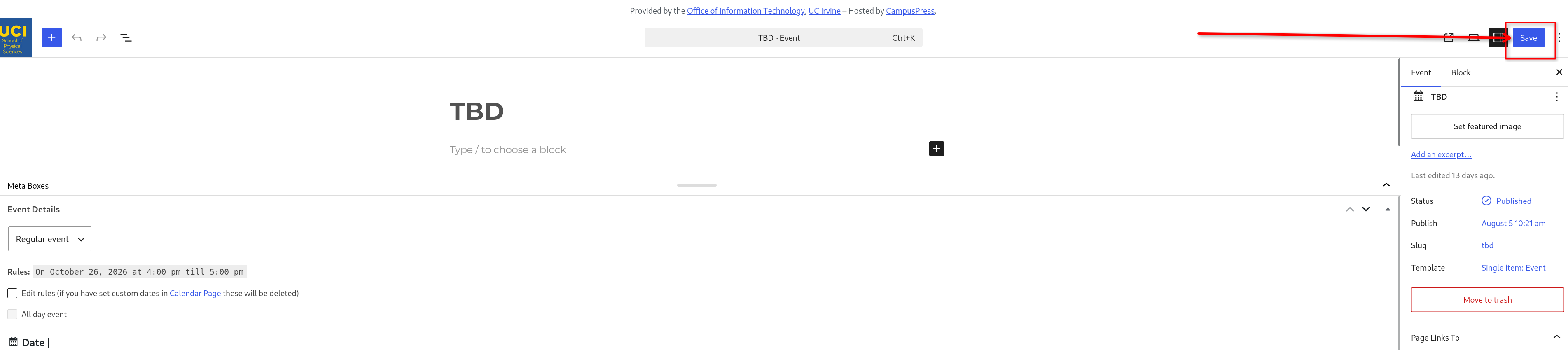
Adding Calendar Events to Math Wordpress Website

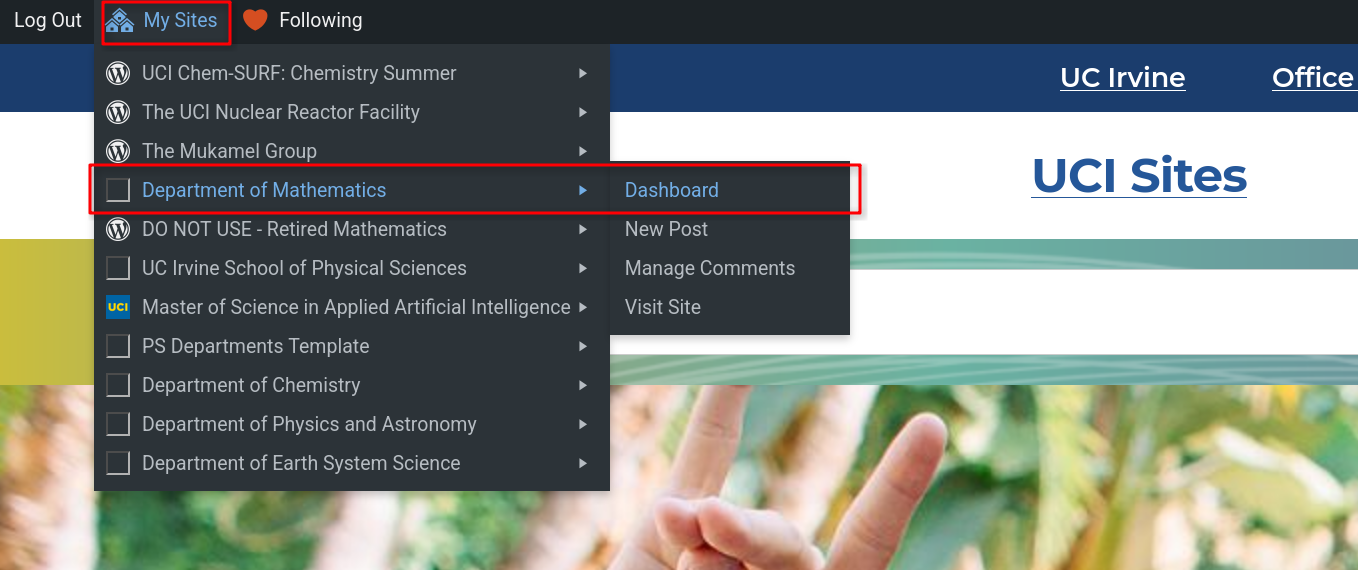
Choose Department of Mathematics and click on Dashboard at the top left.
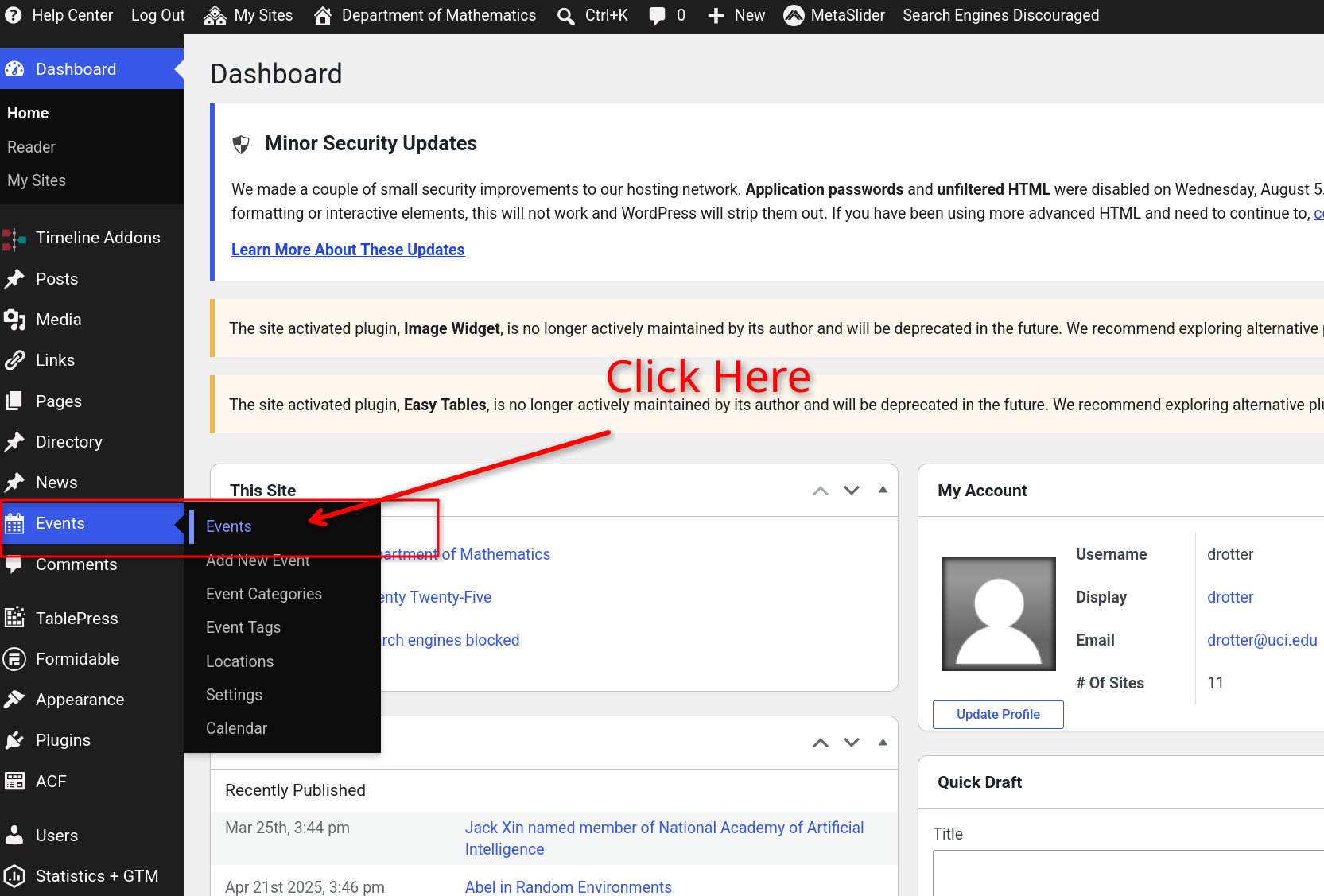
Choose Events on the left column and then click on Events.
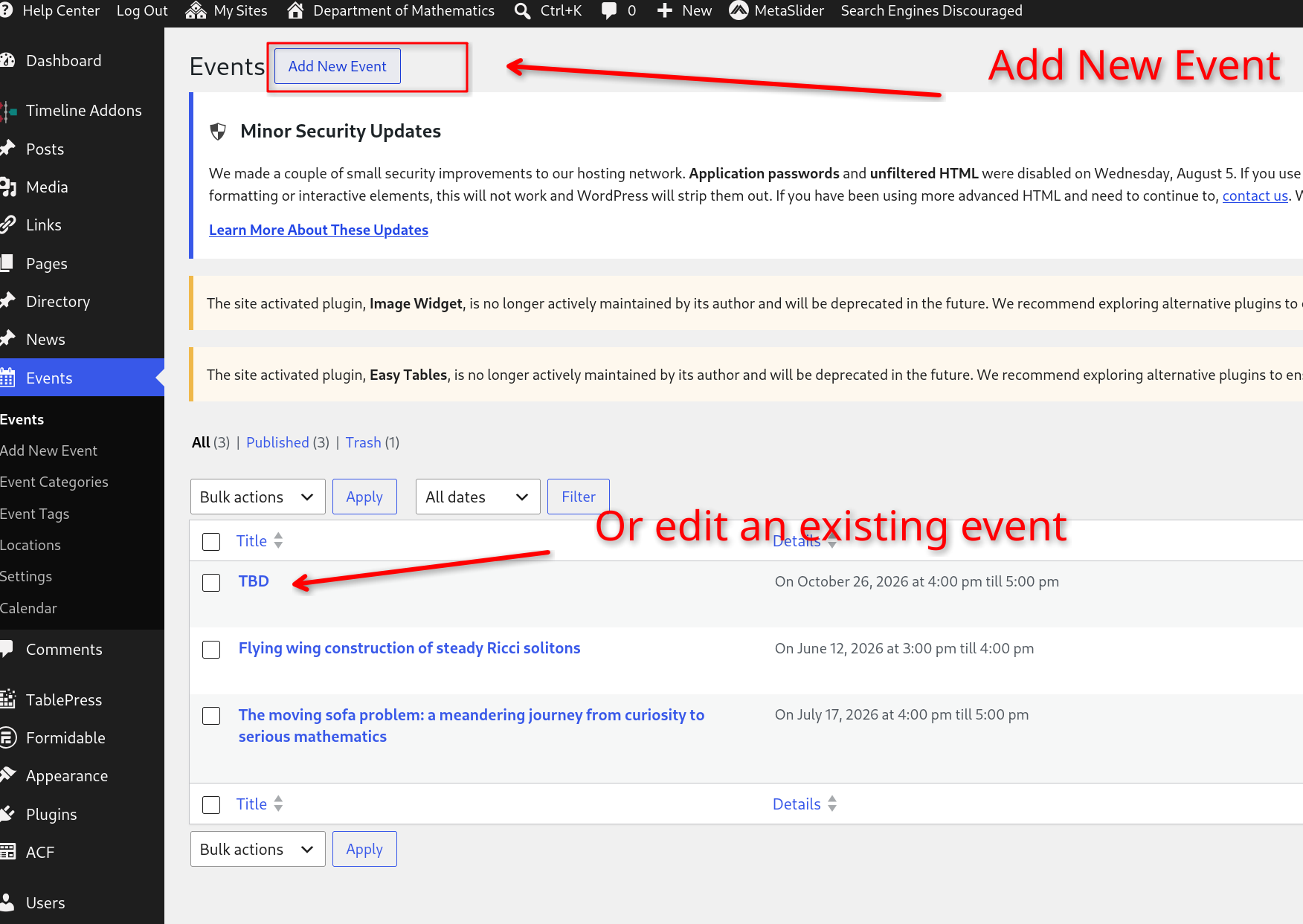
Either edit an already existing event below or choose to create a new event with the Add New Event button.
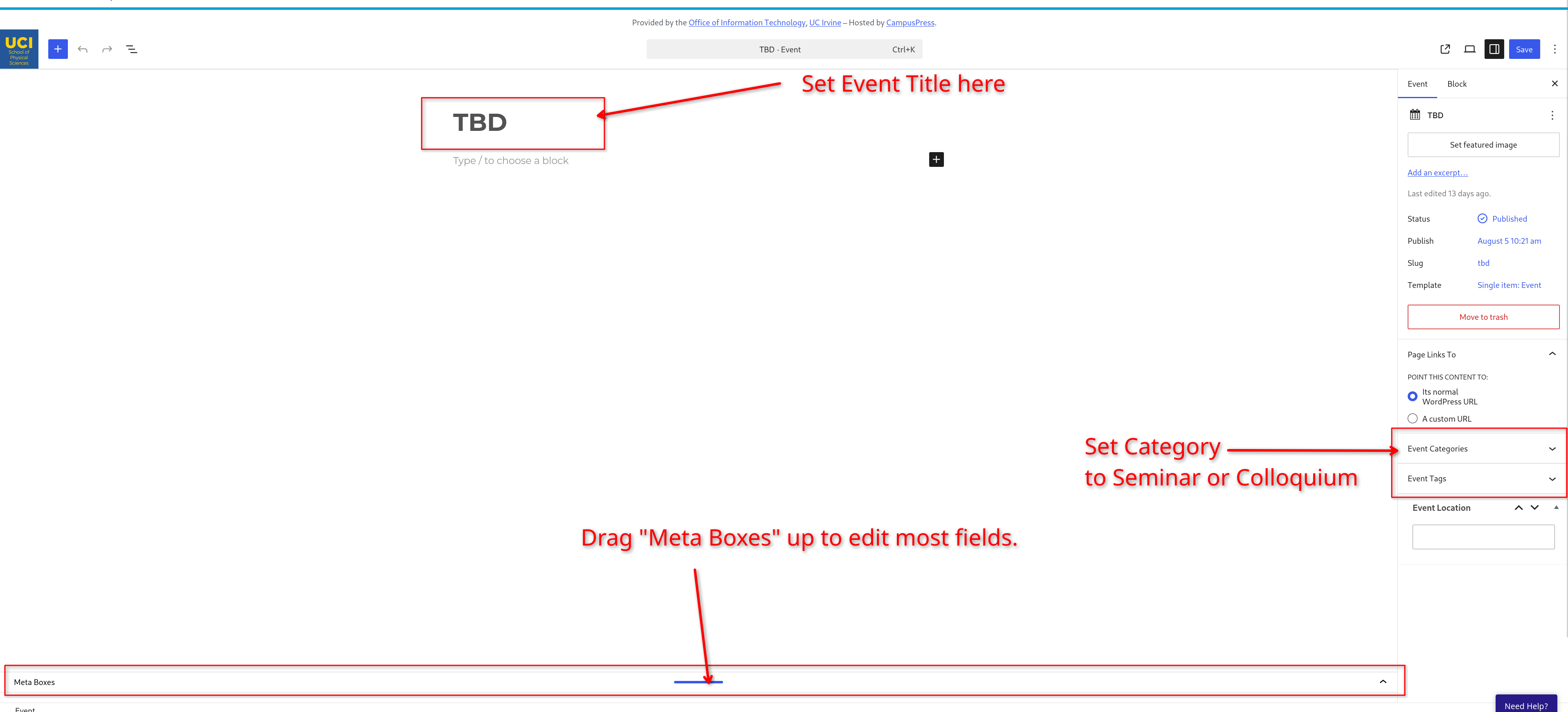
Set Title, Event Category, Event Tags, and make sure you drag the meta boxes up so that you can edit the remaining fields.
Here is what it will look like when you have dragged the meta boxes section up and added Event Categories and Tags
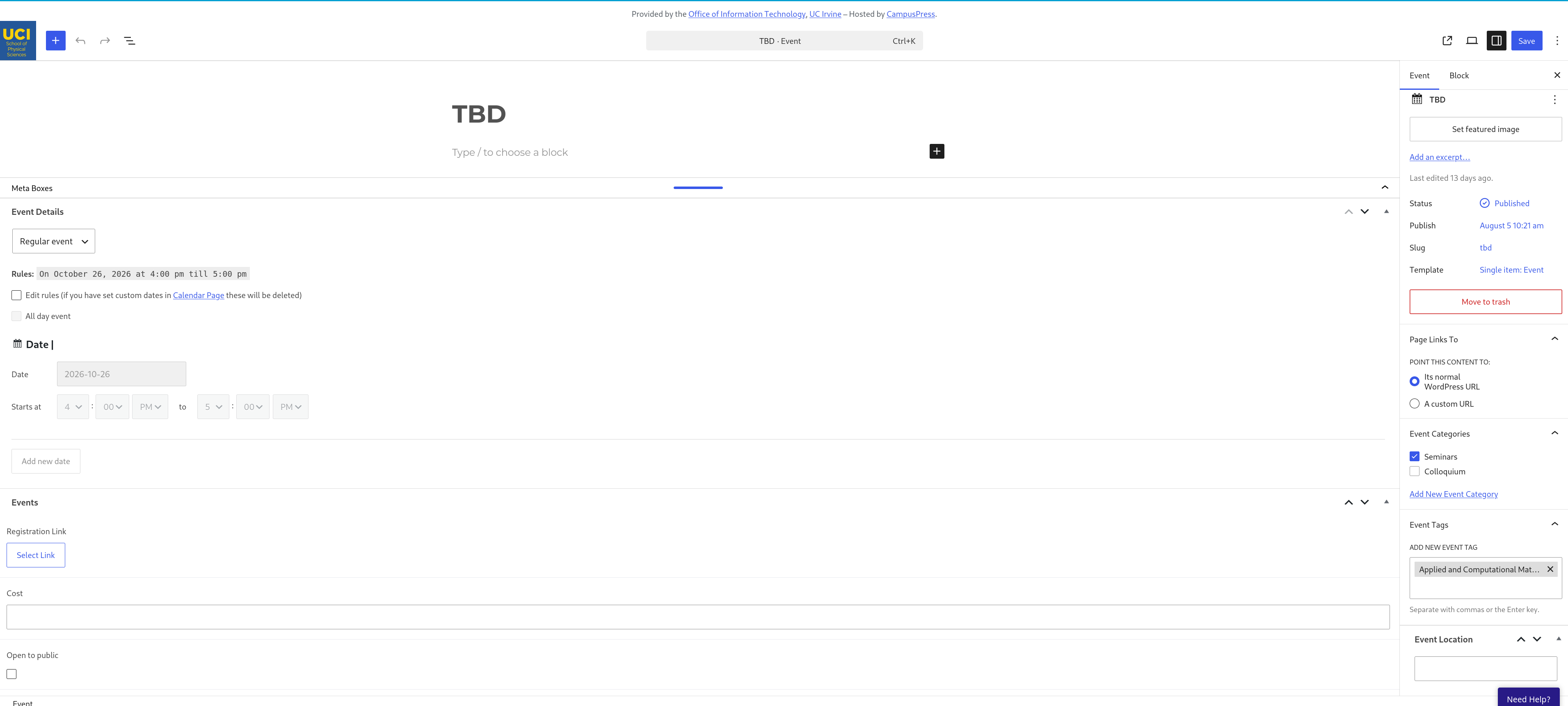
When you are finished, click "Save'