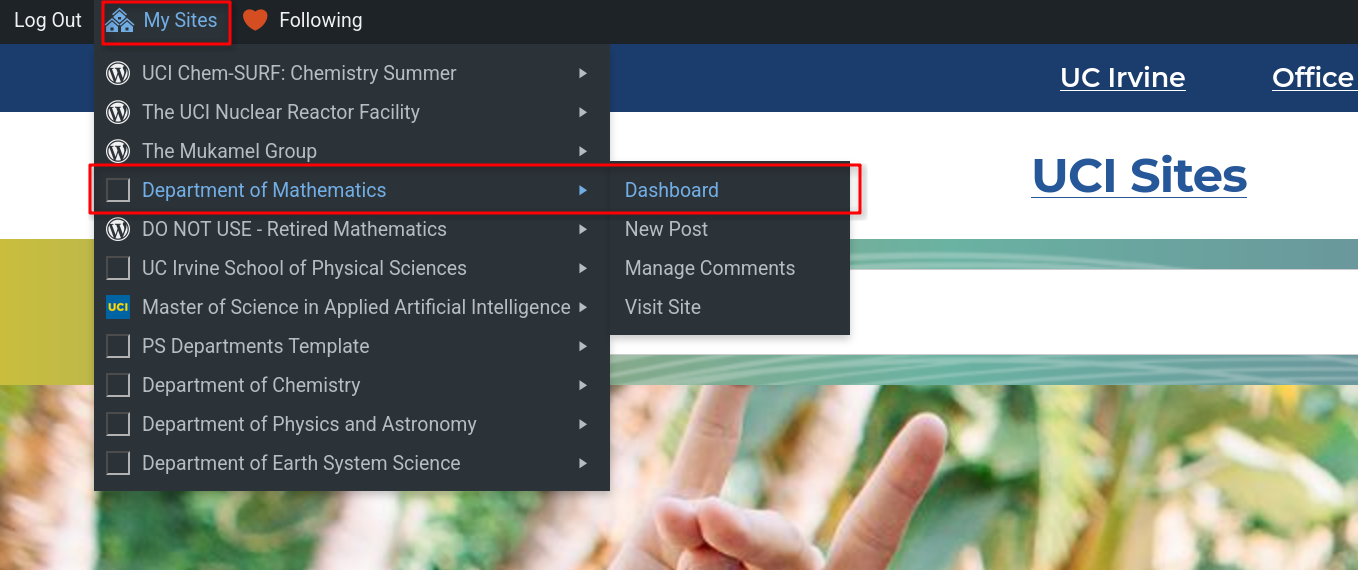
Go to sites.uci.edu and choose login at the top right corner
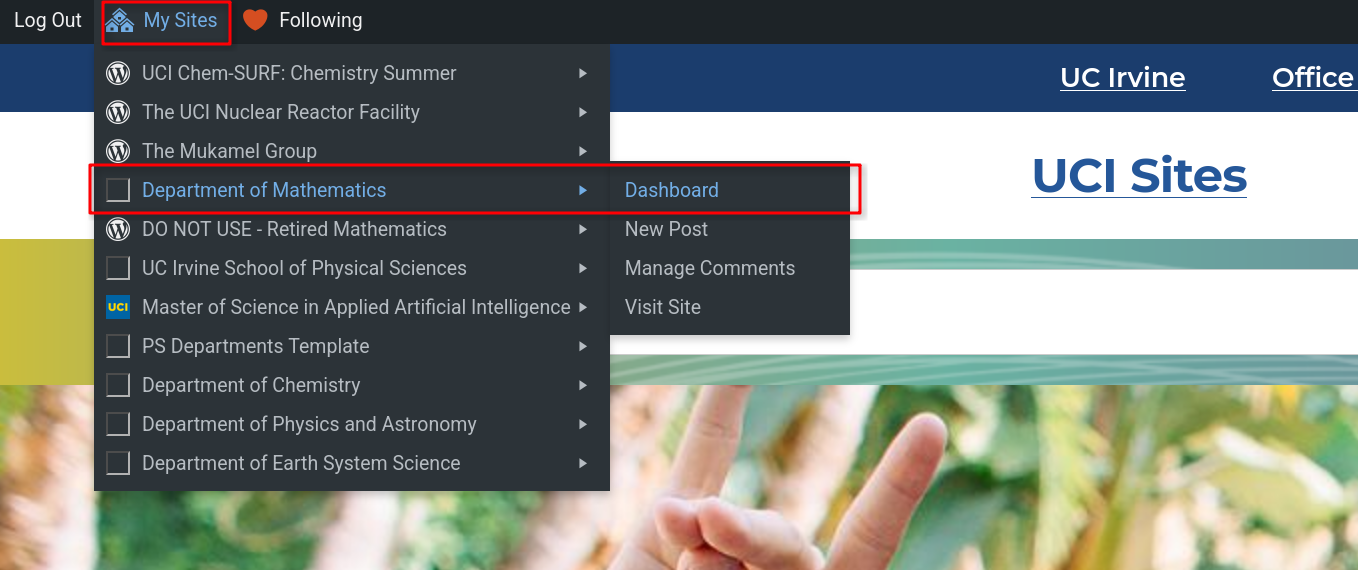
Choose Department of Mathematics and click on Dashboard at the top left.
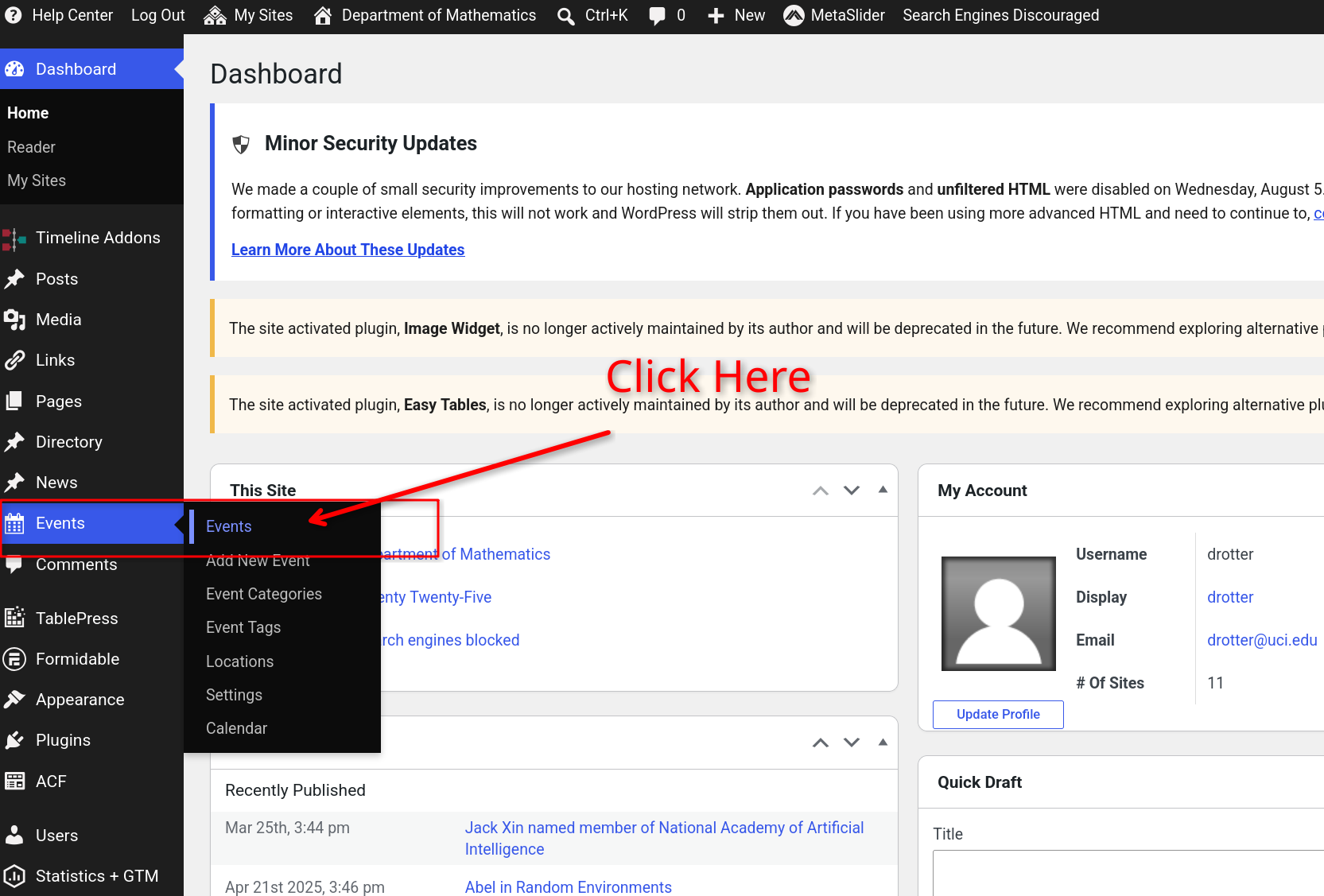
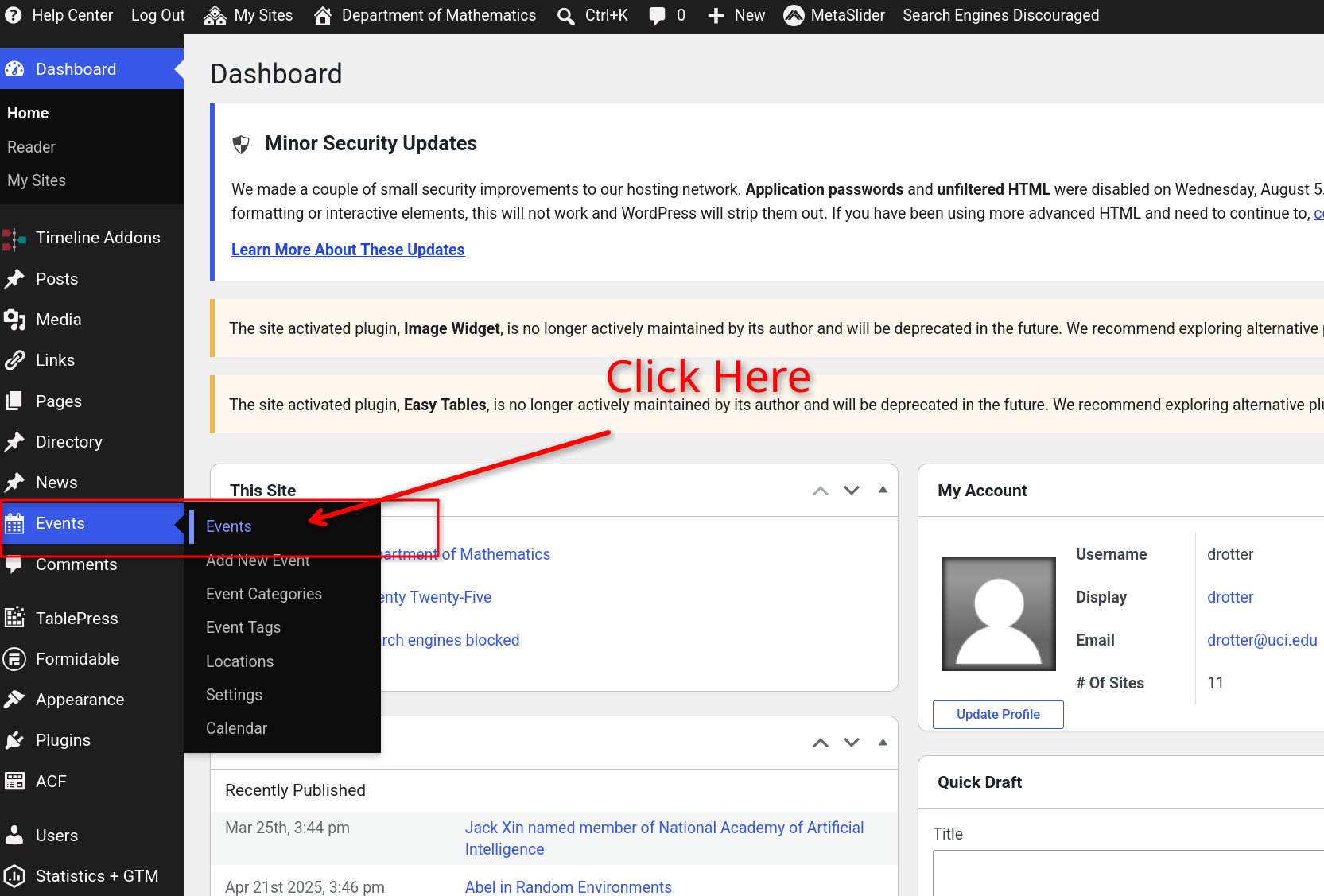
Choose Events on the left column and then click on Events.
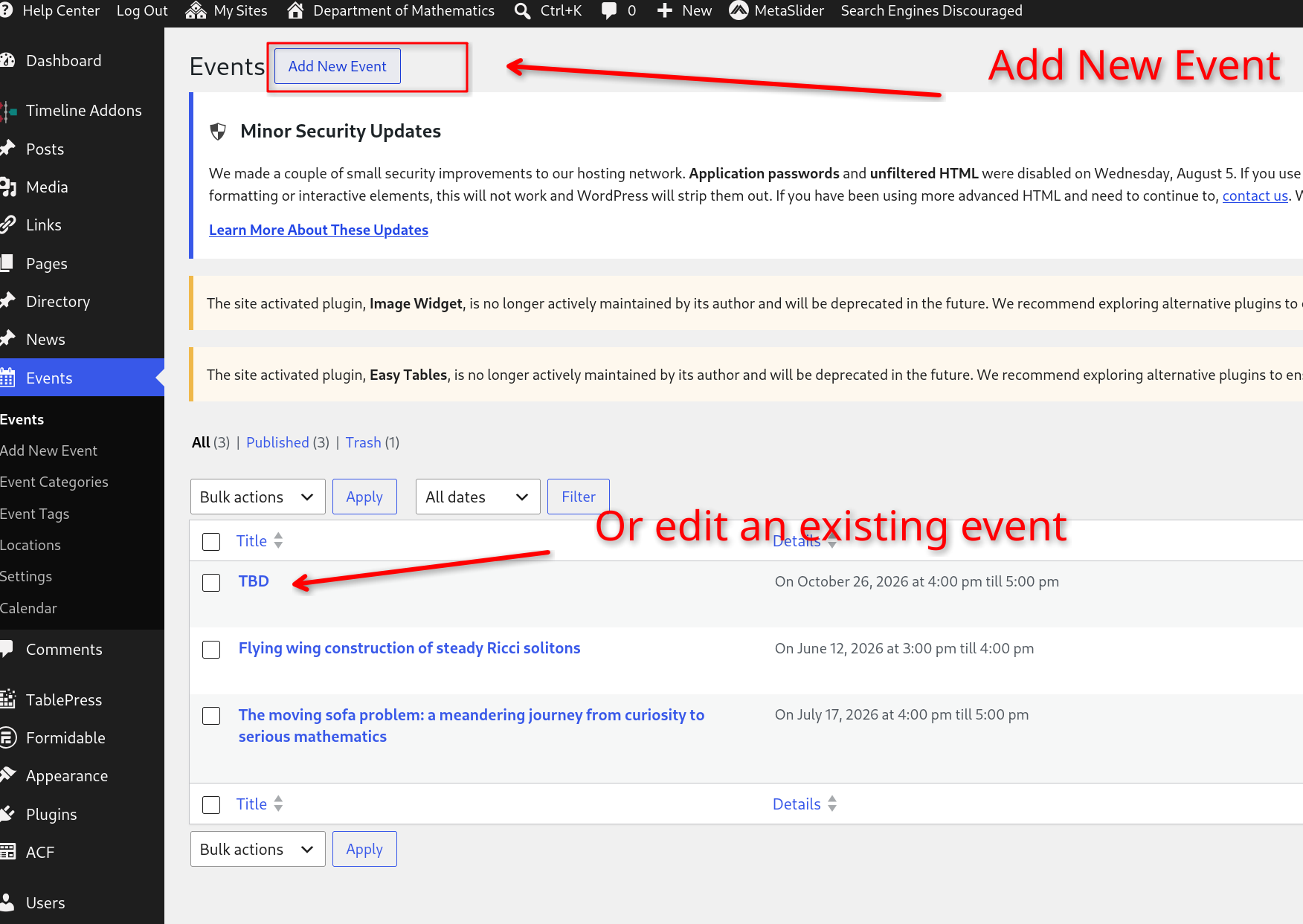
Either edit an already existing event below or choose to create a new event with the Add New Event button.
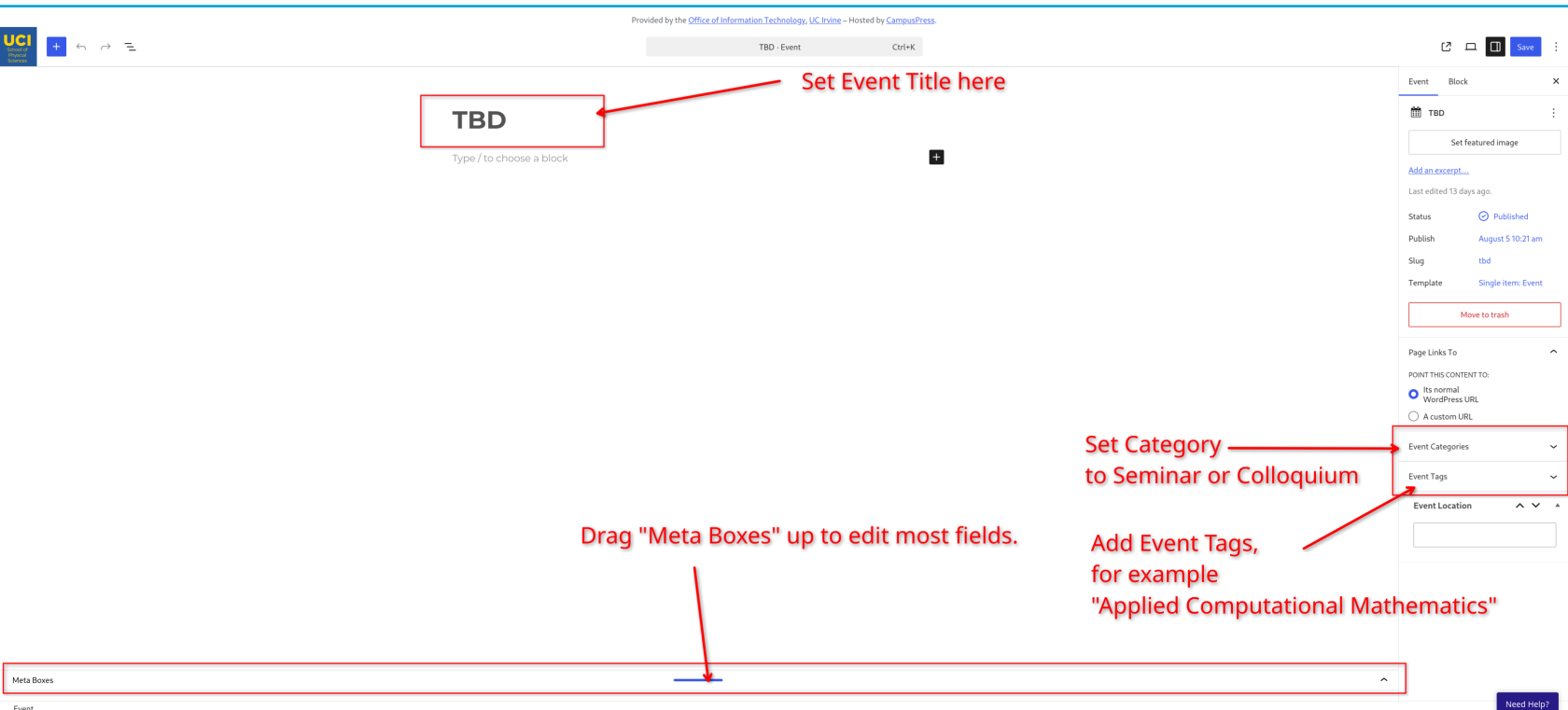
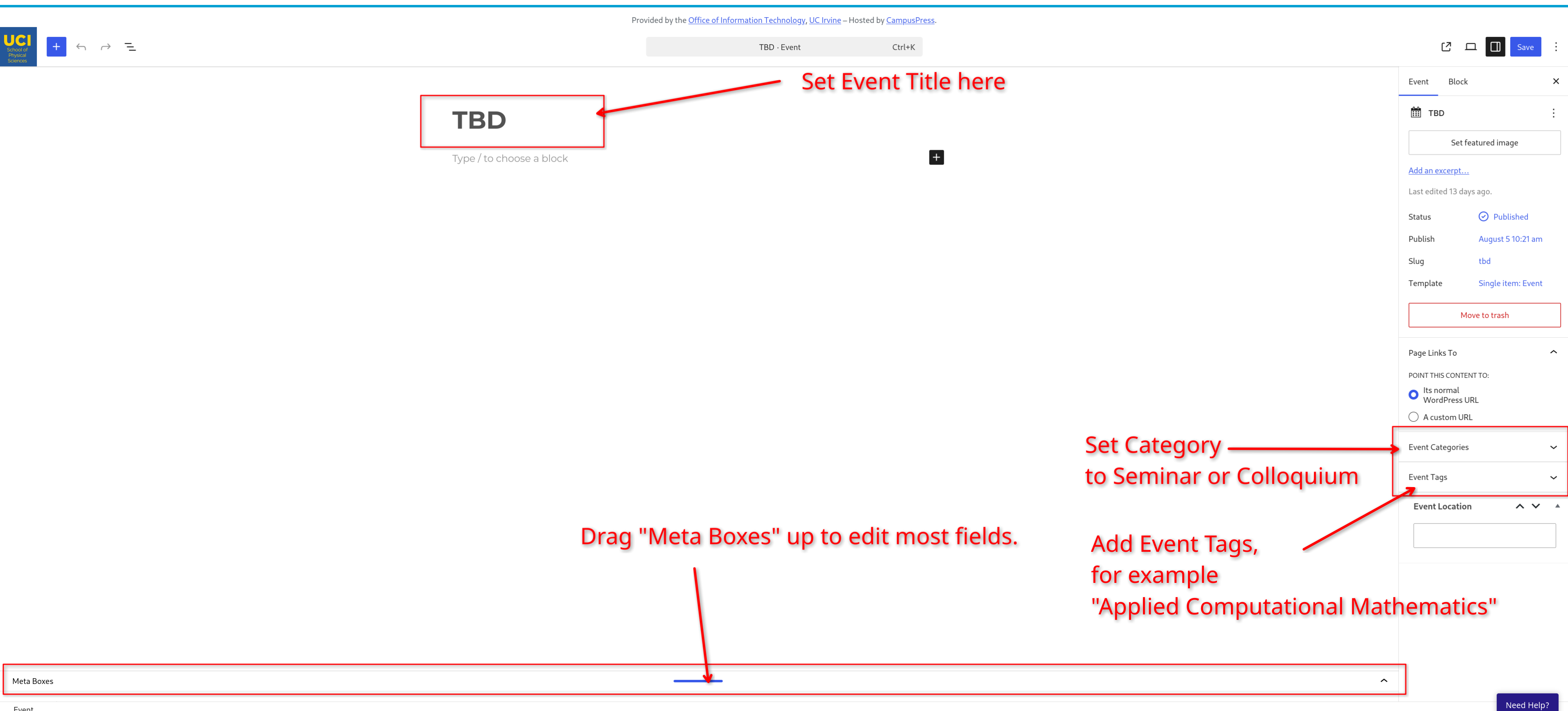
Set Title, Event Category, Event Tags, and make sure you drag the meta boxes up so that you can edit the remaining fields. You only need to drag up the meta boxes section if you cannot see the fields within it. If you drag the meta boxes too far up, you may block the Title and then need to drag it back down a bit.
Event Categories are the event type. For example, "Seminar" or "Colloquium" They will auto-complete as you type.
Event Tags are the seminar/colloqium field: For example, "Applied Computational Mathematics" or "Differential Geometry". They will auto-complete as you type.
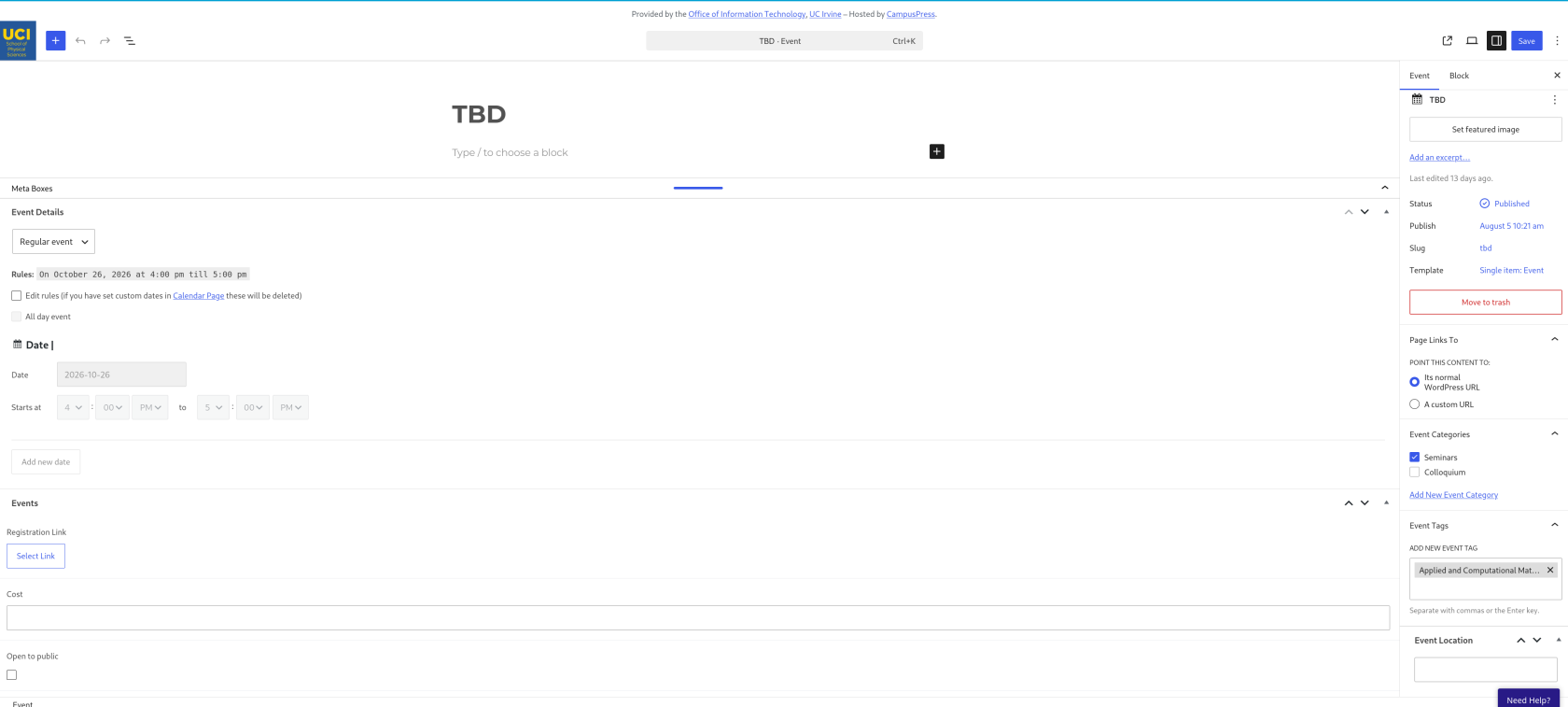
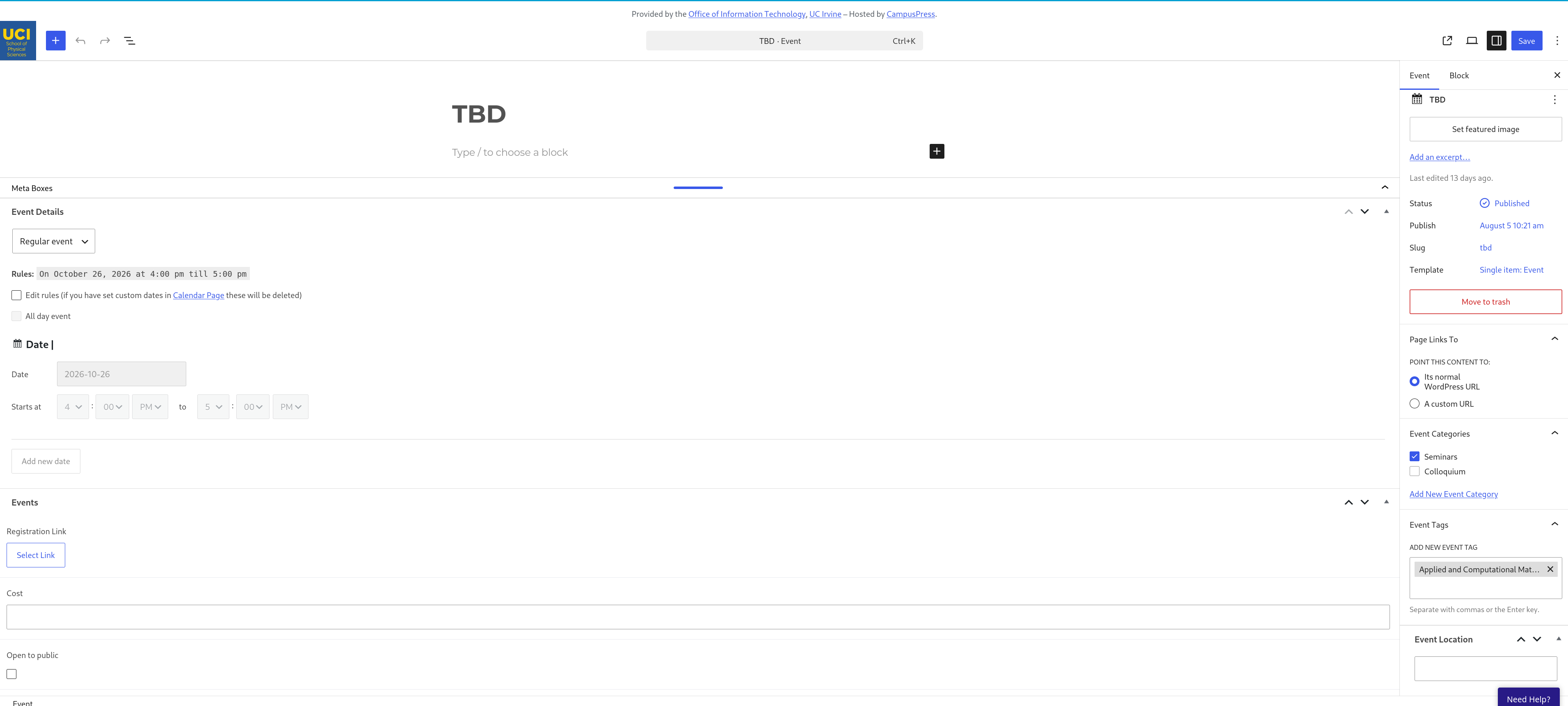
Here is what it will look like when you have dragged the meta boxes section up and added Event Categories and Tags
Event Details you should focus on filling out to have a proper posted event:
Title at the top
Event Category on the right
Event Tag on the right
Date
Time
Speaker Name
Speaker Title (eg. Professor, Doctor)
Speaker Institution
Link (optional, choose "Add Row")
About the Speaker (Abstract)
Sponsored by/Hosted by (PI's Name)
Location
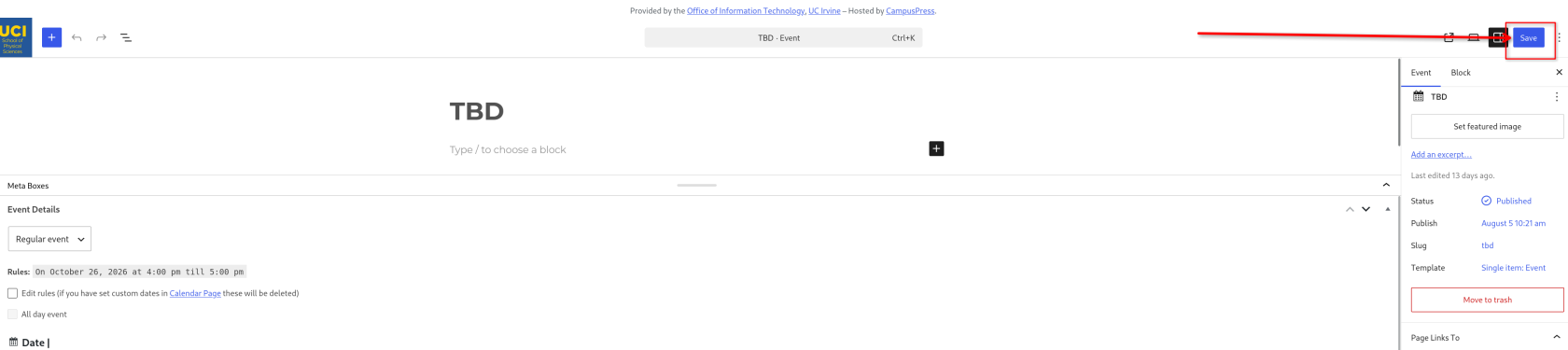
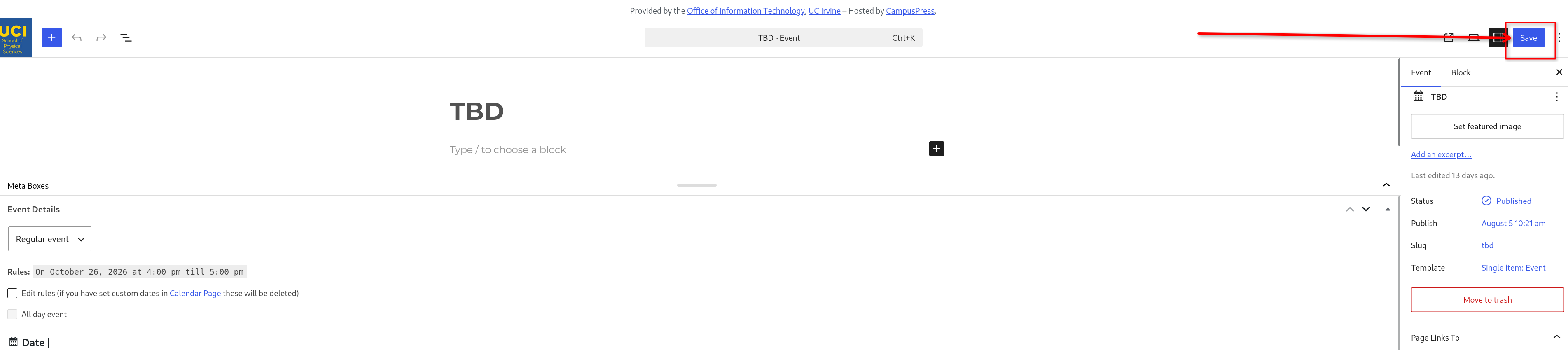
When you are finished, click "Save" if you edited an event, or "Publish" if it is a new event.