
Opening a Shared Mailbox
On the Outlook web client:
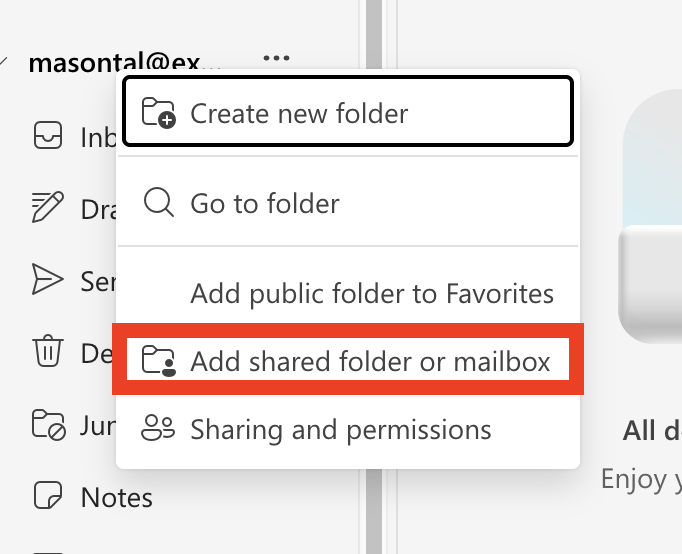
 Click 'Add shared folder or mailbox'
 Type in the email address of the shared mailbox and click continue
On Outlook for Windows
On Outlook for Mac
On the Outlook web client:
Click 'Add shared folder or mailbox'
Type in the email address of the shared mailbox and click continue
On Outlook for Windows
On Outlook for Mac