Microsoft 365
Everything about Microsoft 365
- How to Access Your UCI Microsoft 365 (AD) Account
- Installing Local Microsoft Office Programs
- Opening a Shared Mailbox
How to Access Your UCI Microsoft 365 (AD) Account
To set your password if you don't know it:
https://passwordchange.service.uci.edu/
To get to all Office 365 Resources:
You can go to https://portal.office.com. and login with UCInetID@ad.uci.edu.
- Sign in with your UCInetID login:

- Enter your new password twice and click submit.



OIT's FAQ on Microsoft Office:
https://uci.service-now.com/sp?id=kb_article&sys_id=34fffd291bb4e1106bd62f42b24bcb0e
OneDrive Login Link: https://ucirvine-my.sharepoint.com/
Installing Local Microsoft Office Programs
To Install Local Microsoft Office Programs:
- Log in to Microsoft 365 via web browser (outlook.com/uci.edu) - with UCInetID@ad.uci.edu. If this is your first time login with @ad.uci.edu account, you must reset the password. You can click on "reset/forget password" at the login window or just go directly to https://passwordchange.service.uci.edu/ .
- Select the Gear icon in the upper-right corner of the window.
- Near the bottom of the list, under the heading "Your App Settings," choose Microsoft 365.
- On the next page, choose Software.
- On the next page, follow Microsoft's instructions to install Office.
OIT's FAQ on Microsoft Office:
https://uci.service-now.com/sp?id=kb_article&sys_id=34fffd291bb4e1106bd62f42b24bcb0e
Opening a Shared Mailbox
On the Outlook web client:
- Go to outlook.com/uci.edu and sign in with your AD/Microsoft 365 login.
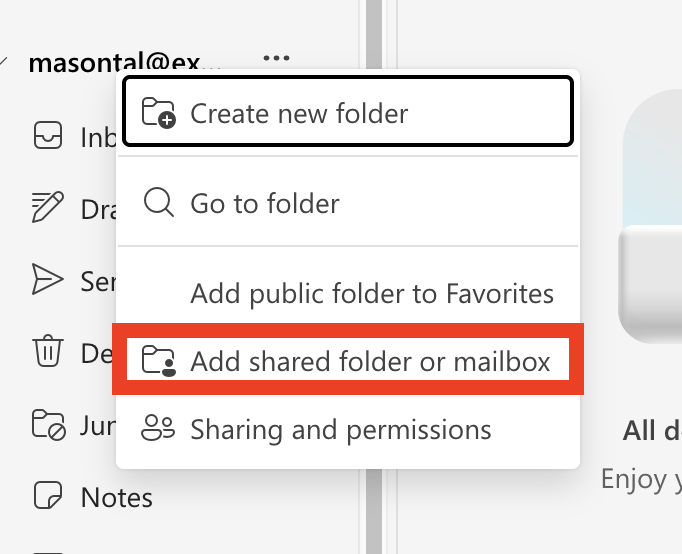
- On the left side bar, right click on your email

- Click 'Add shared folder or mailbox'

- Type in the email address of the shared mailbox and click continue
On Outlook for Windows
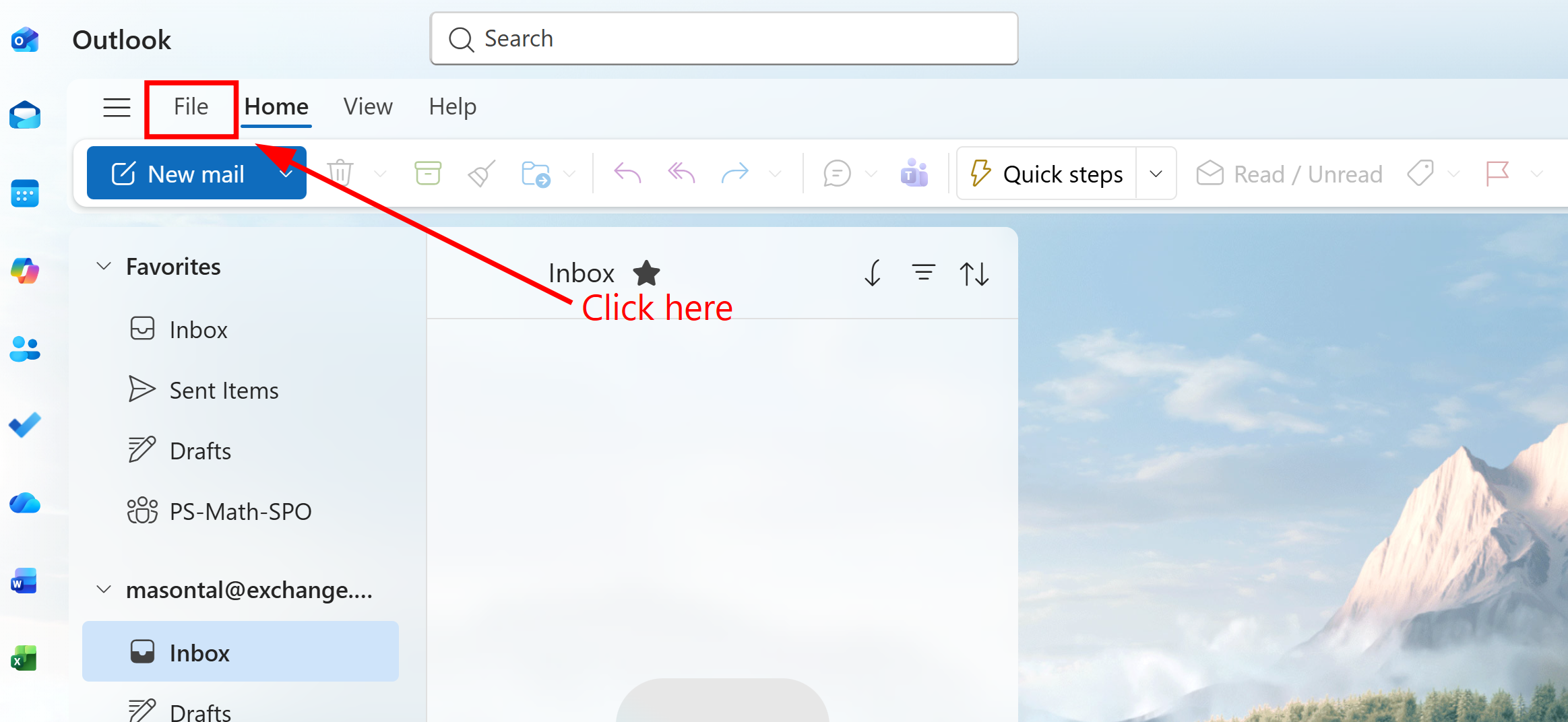
1. Select the 'File' tab in the top left corner
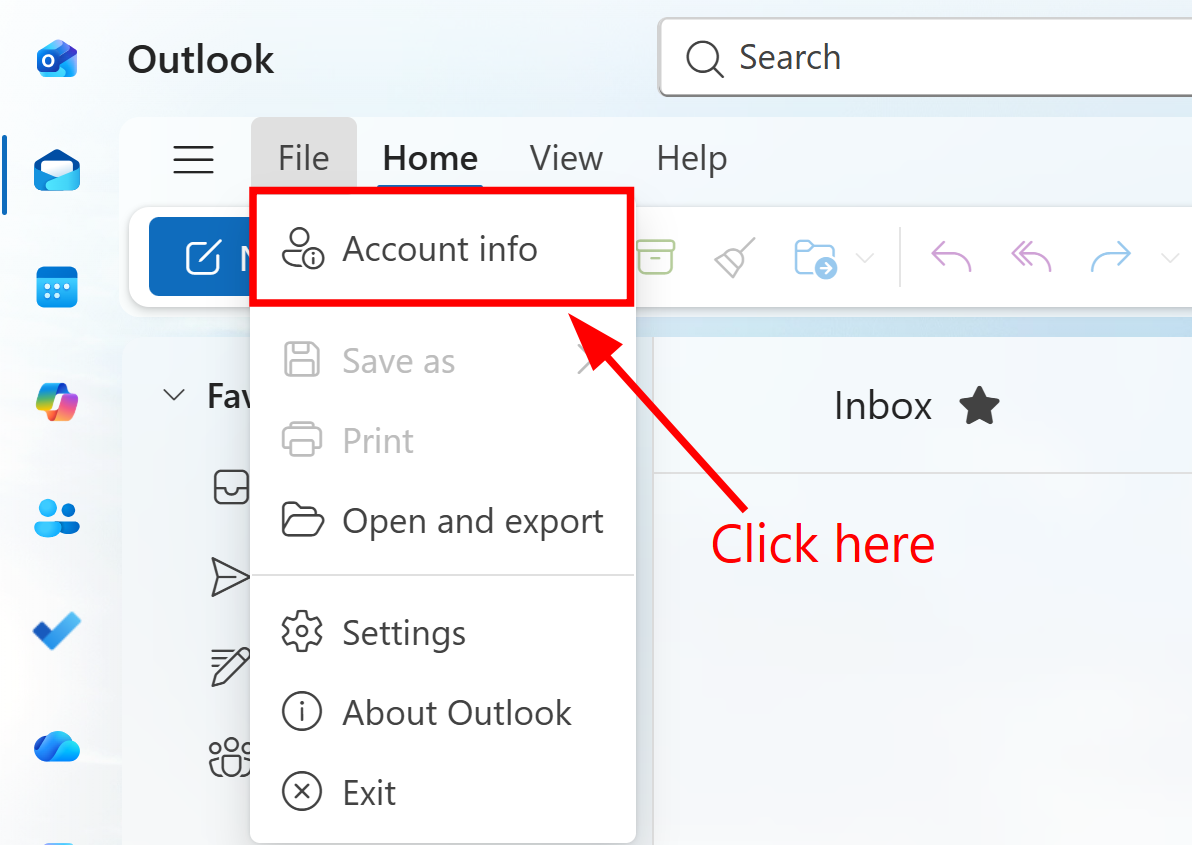
2. Click 'Account info'
3. A window with your account settings should pop up. Click on 'Accounts,' then 'Shared with me.' Then click 'Add'
4. Type in the email address of the shared mailbox and continue.
On Outlook for Mac
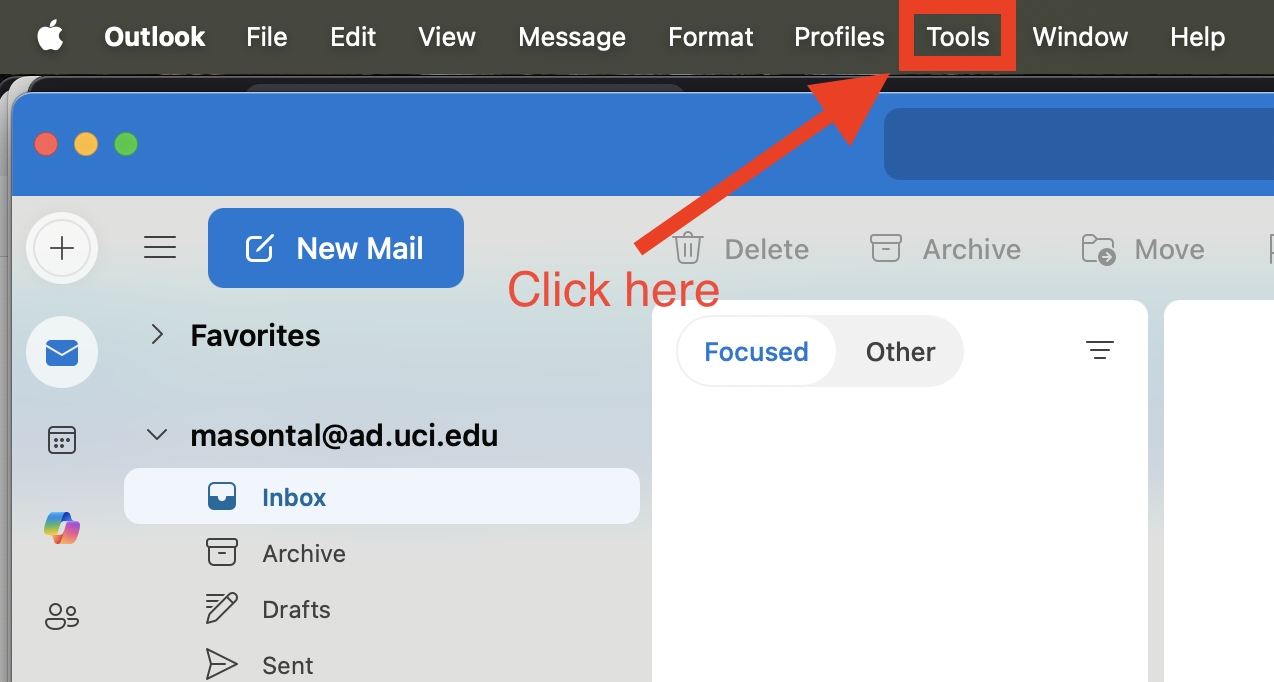
1. Open Outlook, then click on tools in the menu bar
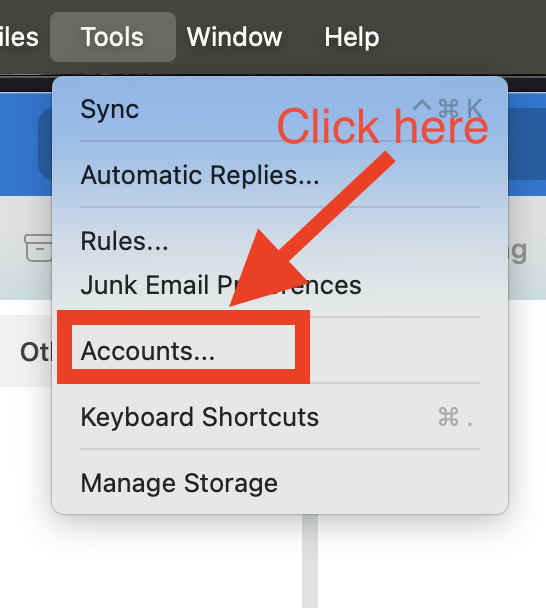
2. Choose accounts and then select your account that has access to the shared mailbox
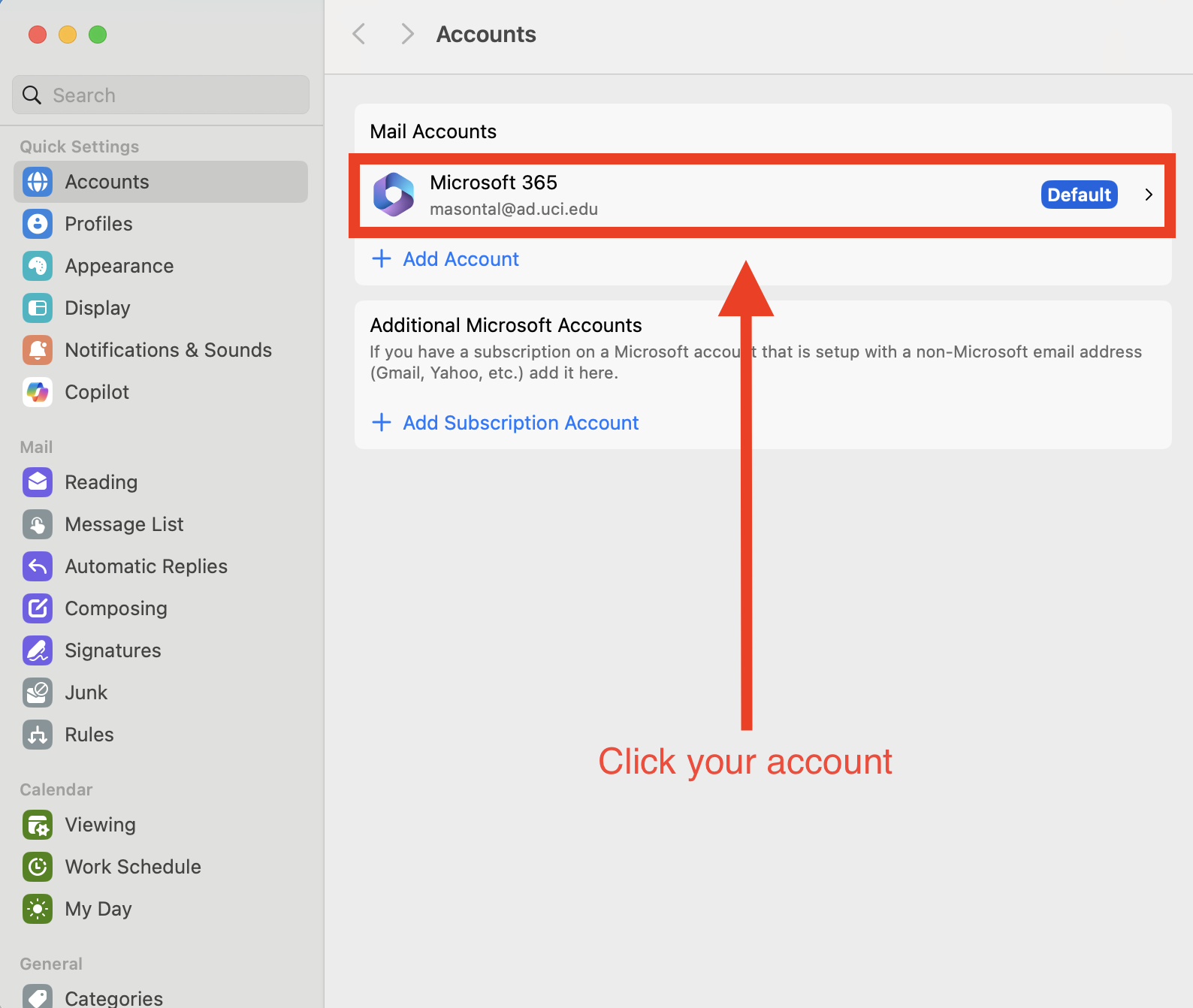
3. Click on 'Delegates & Sharing'
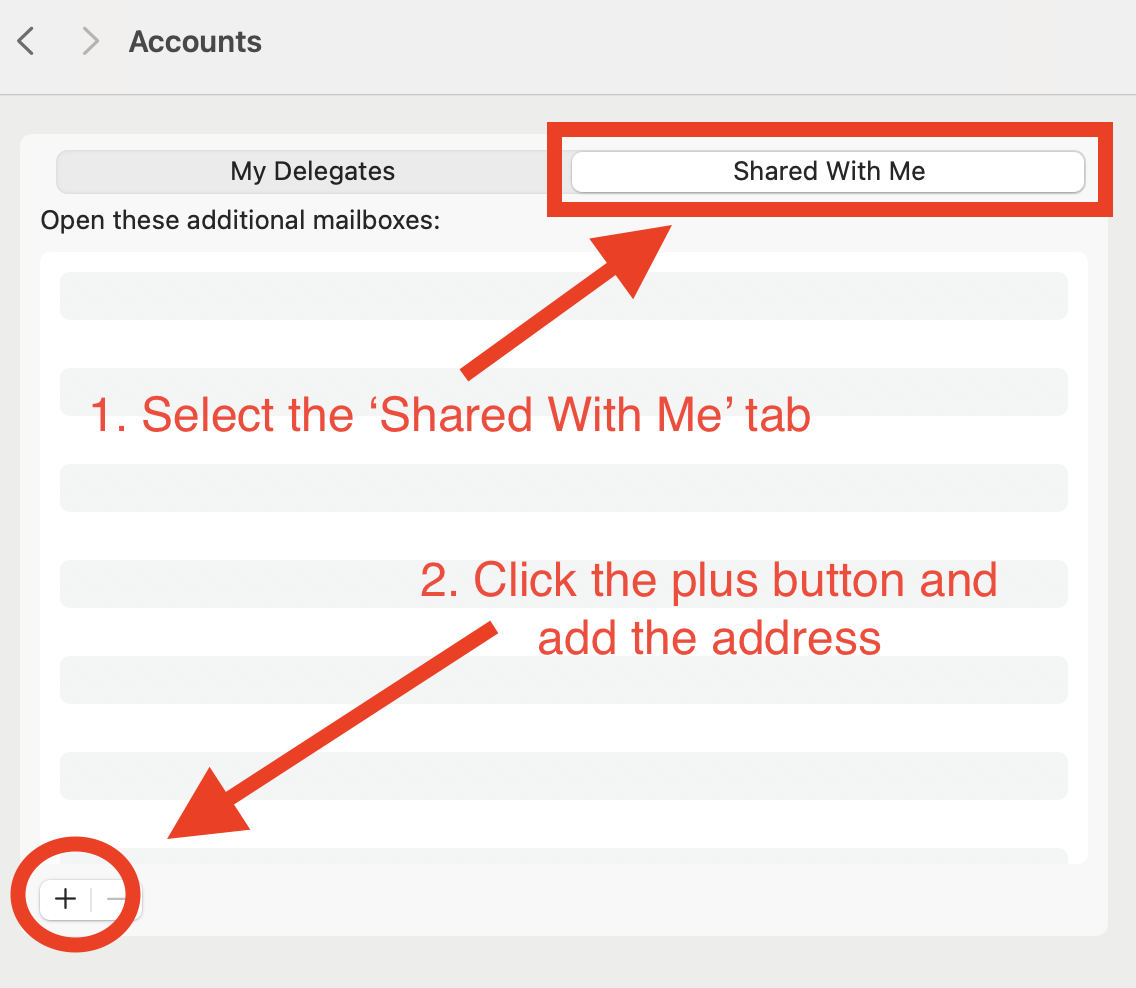
 Open the 'Shared With Me' tab and then click the add button in the bottom left to add the email address of the shared mailbox.